Cheriwaves was created because I wanted to buy the Coral Switch Lite. It's also a nod to Deftones' Cherry Waves song as it was stuck in my head. Plus its island native fruit is cherry (well it's pear, but I'm removing every pear tree). Cheriwaves will feature a theme of blue, white, and reddish/pinkish motif similar to the ocean waves with cherry. It's a work in progress where I got stuck in the middle. But since the latest 2.0 update + the expansion, I think I'll go ahead with the current theme in mind and explore the massive amount of items added. I'm imagining a splash of colour from a crash of cherry waves.
More importantly, here is to feature my top three favourite villagers of Cheriwaves (again, in no particular order).
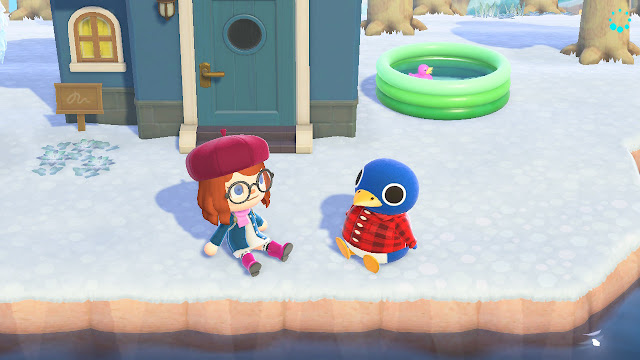
3. Roald
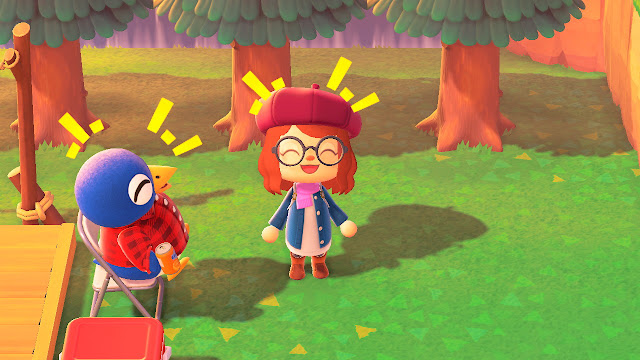
Roald and I go way back in ACPG. I've had Roald twice in ACPG: as a starter villager and as someone who moved into my village from another GC memory card while fruit transferring. I thought that having a penguin was interesting already as I didn't know all of the species in ACPG. But it's his BIG ROUND eyes that caught my attention. He's also a jock that kept giving me free stuff. So I'm mighty glad to have Roald on Cheriwaves this time. To think that we'd meet again. Roald is a true bro.
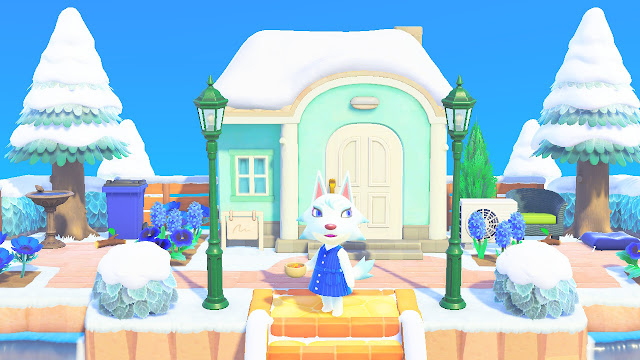
2. Whitney
Samone: (!!! in English)
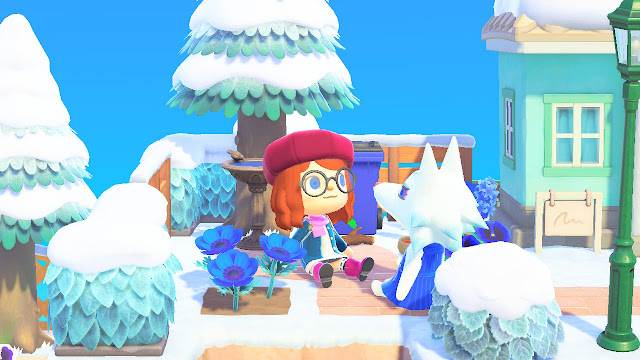
I haven't met Whitney in ACPG but I've seen her appear as early as the first Animal Crossing movie. I've been curious since then because I didn't like a snooty villager before. I've been trying to generate a town with Whitney on it but with no luck. So imagine my joy when Whitney finally appeared on my campsite. How many years has it been? The closest to having Whitney on ACPG was having Fang on my last memory card before focusing on to ACNL. Whitney looks graceful whenever she carries her umbrella too. She's the second snooty villager who was worried when I was away for a long time due to being sick. It feels like Whitney will always have my back.
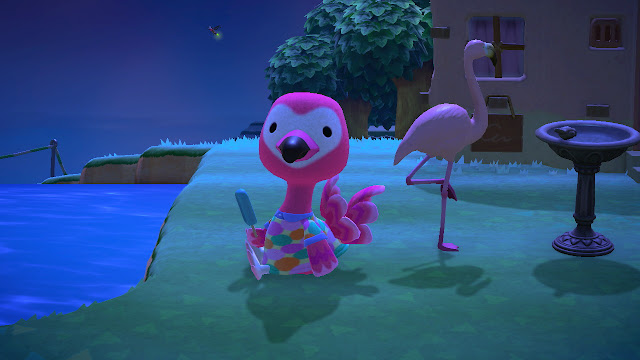
1. Flora
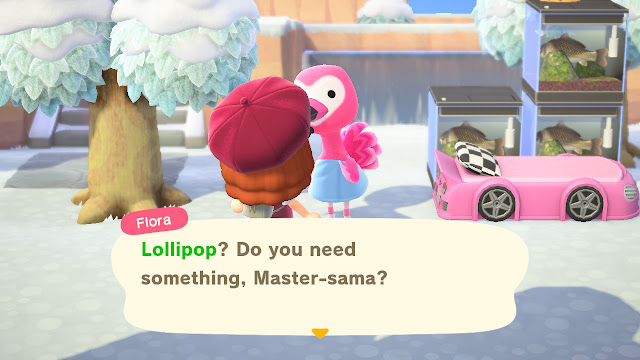
Flora is a flamingo. She's technically an ostrich, but she's seriously a flamingo. I haven't stumbled upon Flora before, but she definitely has the Cheriwaves vibe. She's funny too. Made me chuckle when she mentioned how CJ is always happy to see her -- but maybe it's because she's bringing fish. And that heart shaped face is really cute. Flora is one of my starters in Cheriwaves and I've had to pass up many villagers before I've settled with my final roster. It's final. Flora is super fun and is not going anywhere. Sorry, not sorry Flora.
Special mention. Lolly
Lolly's eyes are cute (they look like a 6 or an apostrophe). Lolly's striped coat pattern is also cute. Lolly's smiley face is also cute. I can imagine every AC player having Lolly. The weird thing about having Lolly is that she reminds me of Mitzi instead. But Lolly is the staple uchi cat in New Horizons. Lolly walking around Cheriwaves with her bright smile is contagious.
Here are a few moments in Cheriwaves
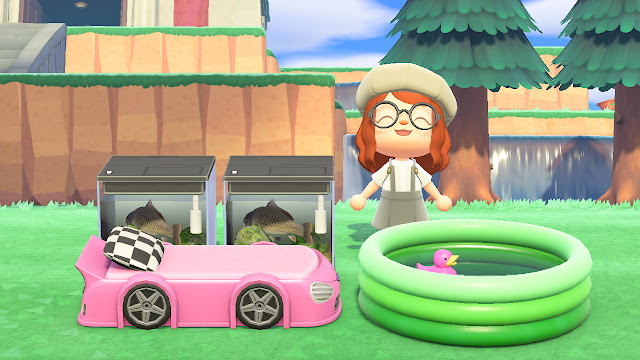
I made a funny: carps on a carpool... *leaves the building.*
As if Roald and I are reminiscing our times during the Gamecube days.
Whitney and I discussing the state of Cheriwaves: it appears I'll be voted out next.
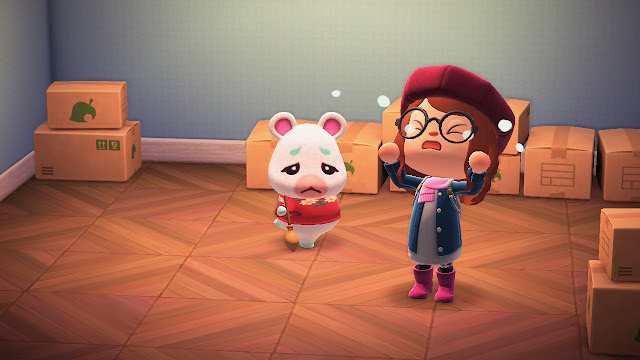
When Flurry has to move -- so she can be with Hamphrey.
To whoever gave Flora the bath-towel, we need to talk.
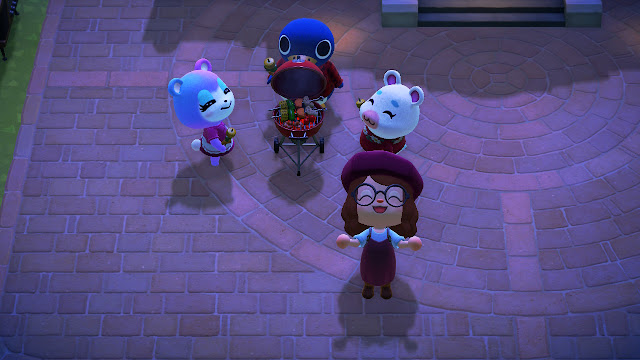
First time seeing this babecue grill set up on the plaza.
I DON'T NEED TO PAIR MY SWITCH, LOAD AND UNLOAD MY GAME! The version 20.0 update frustrated me. I admit that I celebrated it when it was installed. Not knowing that the virtual game cards mechanic would become super cumbersome for us who own multiple Switch consoles. (Say at least 3). Before the update, I simply made sure my game isn't running on my second console before booting it up on my first console. With virtual game cards, you need to pair the second switch, unload and load the game. That is you need to get up, make sure the Switch A and B are close and then hope that the pairing works well. Rinse and repeat if you want to play your digital game with a Switch C. So here's an easy fix to revert to loading your digital game instead of virtual game cards. 1. First, make sure that you're connected to the Internet. Go to your user profile on your Nintendo Switch HOME screen. 2. Go to User Settings. 3. Scroll down and find Use Online License. 4. Switch it to ON. As...
Here's a summary of upcoming life-sim and farming games this quarter in 2026. Worth to mention Fantasy Life (version 2.0 update) Screenshot from Fantasy Life i: The Girl Who Steals Time Steam page. Adventure Action RPG which lets you recruit allies, and house them in your personal island. One of the best game releases of 2025. Coop play available especially for dungeon raids. Assume fourteen life classes and freely switch classes. Free major update dropped on December 24, 2025. New land, Snoozaland, for roguelike map to gather materials and exchange them for new equipment. Increased the number of island villager limit to 10! New equipment, armor, and mounts. New island decors. Additional avatar parts. Fantasy Life i: The Girl Who Steals Time is available on Nintendo Switch, Nintendo Switch 2, PlayStation 4, PlayStation 5, Xbox Series X/S and Windows. Life-Sim Farming games coming soon this quarter Animal Crossing: New Horizons (version 3.0 update) Animal Crossing: New Horizons vers...
You can turn off your Hip Lantern in Palworld. That is you can toggle the Hip Lantern to three modes: always on, auto, or off. Here's how to turn off your Hip Lantern: Hit [Tab] to open player your inventory. Select the Key Items tab. Right click the Hip Lantern and it will toggle between the three modes. If the item thumbnail is not highlighted, it will be off. Toggled the Hip Lantern to off with the thumbnail dark. Tested and the Hip Lantern is off. There's a campfire outside. I'm trying to see which version implemented this update; it appears to be a new addition in version 0.6. Specifically, I noticed that they added the text on the Hip Lantern tooltip saying: "You can also switch its lighting mode to keep it on at all times." But I was interested to find out how to turn it off. The Hip Lantern can be crafted at Level 15 which costs 1 Ancient Technology Point. It's your primary light source when exploring the islands at night. But now players have to bea...



Comments
Post a Comment